 QUANTUM APP FORGE
Quantum App Forge / Apps / Brainfloss
 Free on Google Play · Android
Brainfloss: the pomodoro timer that notices.
An anti-brainrot focus timer for doomscrollers. Unlock your phone mid-focus and your daily brainrot score drops. Finish the session and you earn it back. Floss the rot, lock the in.
How it works
A pomodoro focus timer built for people who grew up online.
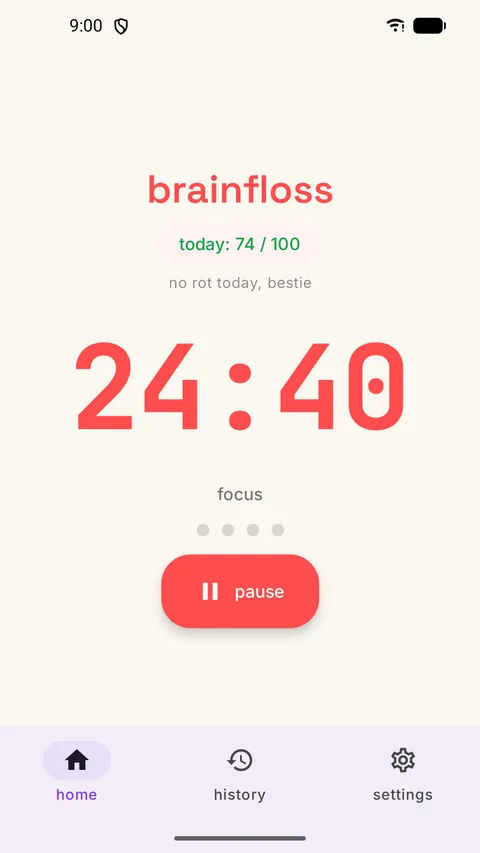
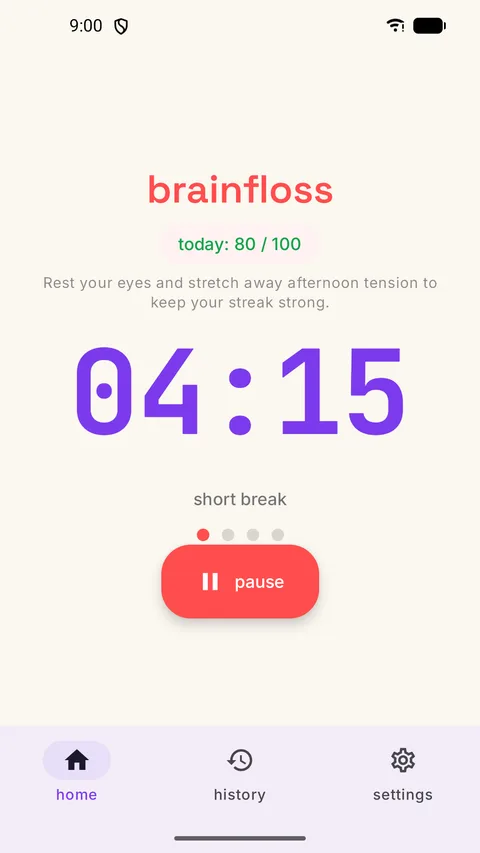
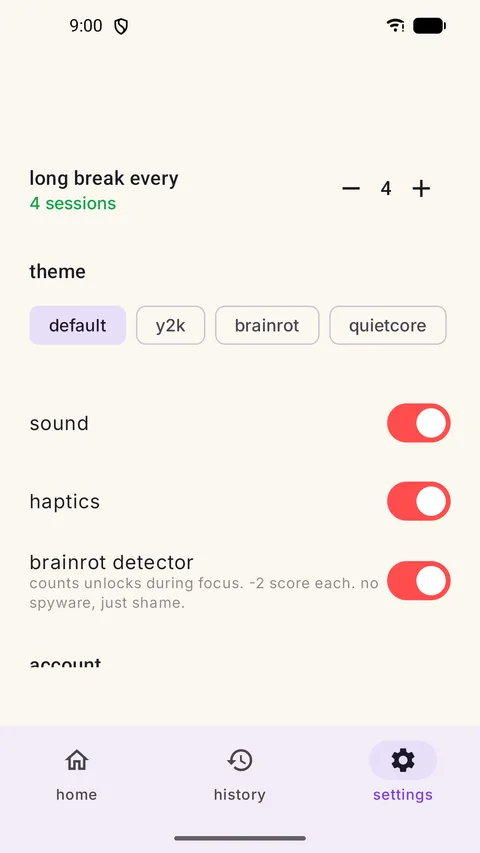
Hit “lock in” for 25 minutes of focus, then take 5 minutes of guilt-free break, with a long break every 4 rounds. Every completed session feeds your daily brainrot score, a 0–100 number that tells you honestly whether today was a focus day or a rot day.
Most focus apps politely look away while you check your phone 14 times per session. Brainfloss doesn't. The optional brainrot detector counts every unlock during focus and docks 2 points per peek. It runs on your phone and never reads your screen.
Features
Everything in the focus timer.
Daily brainrot score
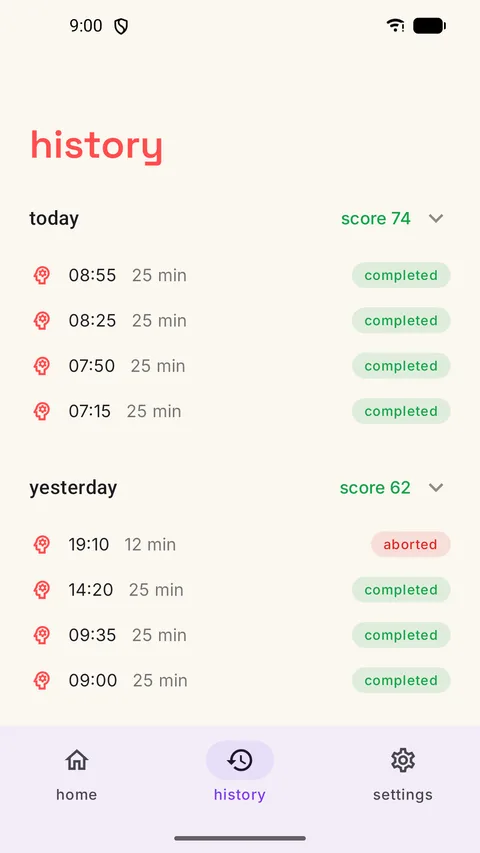
A 0–100 score built from your focus sessions, with week and month charts and a brainrot report you can share.
Strict mode
Pick the apps that eat your focus. During a session, Brainfloss puts a pause screen in front of them.
Flow mode
A focus timer that counts up, for the days when 25 minutes isn't the right length.
Focus sounds
White noise, brown noise and rain loops, plus optional Do Not Disturb while you focus.
Streaks that forgive
Streak milestones get confetti, and streak freezes cover the days life happens.
AI break tips
Finish a session and an AI-generated tip suggests how to spend the break.
Widget, tile and lock screen
Start focus from a home-screen widget or a quick settings tile, and see the countdown on the lock screen.
Unlock nudge and if-then plans
A gentle nudge when you reach for the phone, and an if-then plan for the urge to scroll.
Focus rooms
See when friends are locked in too.
Health Connect
Optionally save your focus time to Health Connect.
Four themes
Default, Y2K, brainrot and quietcore, with sounds and haptics you can switch off.
Accessible
Respects reduced-motion settings and works with TalkBack.
Brainfloss Pro (optional)
A weekly AI review of your focus, year and all-time stats with a focus calendar and your best hours, and CSV and monthly PDF exports.
Who it's for
A study timer, a work timer, a screen-time reality check.
Brainfloss is for students who doomscroll between lectures, developers who alt-tab to social feeds during builds, and anyone whose screen time report is a jump scare. Your attention span grows back, 25 minutes at a time.
FAQ
Questions about Brainfloss.
Is Brainfloss free?
Yes. The timer, brainrot score, strict mode, focus rooms and backup are free on Google Play. It shows a single banner ad, and only on break screens, never during a focus session. An optional one-time supporter pack removes the break ad and adds two themes. Brainfloss Pro is optional too: a weekly AI review of your focus, year and all-time stats, and CSV and monthly PDF exports, for ₹499 a year with a 7-day free trial or ₹1,999 once (prices in India; other countries see Google Play's local price).
Does the timer keep running if I lock my phone?
Yes. The timer runs in a foreground service that survives backgrounding, doze mode and reboots, so a 25-minute session finishes even if you lock the phone and walk away.
Does the brainrot detector read my screen?
No. The detector is optional and on-device. It only notices when the phone is unlocked during a focus session and lowers your daily score by 2 points per unlock.
What does strict mode do?
Strict mode is optional. You pick the apps that eat your focus, and during a focus session Brainfloss puts a pause screen in front of them: one tap back to focus, or open the app anyway for 5 minutes. It uses Android's AccessibilityService API only to see which app comes to the front, only during a focus session and only for the apps you chose. It never reads your screen and sends nothing off your phone.
Where is my data stored?
Sessions, streaks and scores are stored on your phone. An optional Google sign-in backs them up so your history can follow you to a new phone. Read the Brainfloss privacy policy.
Is Brainfloss available on iPhone?
Not yet. Brainfloss is a native Android app, available on Google Play in more than 170 countries.
Ready to floss the rot?
Twenty-five minutes from now, you could have one focus session done.
Questions or bugs: support@quantumappforge.dev